
How to Scale Text-Based POD Designs Using Automation Software
- Written by admin
Let’s start with an uncomfortable truth: if you’re still opening Canva, typing a quote, exporting a PNG, and uploading it to Etsy one listing at a time, you’re not running a print-on-demand business. You’re running a very slow, very manual arts-and-crafts hobby that happens to have a Stripe account attached.
The sellers actually making money in POD right now aren’t more creative than you. They’ve just figured out how to turn “one design” into “500 designs” without multiplying their workload by 500. That’s the entire game of POD automation — and it’s exactly why this article exists, because almost nobody is writing about it well.
Type “bulk design generator” or “POD scaling utility” into Google and you’ll get a wall of generic “10 Passive Income Ideas for 2026” listicles written by someone who has never opened a terminal in their life. That’s good news for you. The technical barrier to entry is the moat. Once you’re on the other side of it, the competition thins out fast.
Why Text-Based Designs Are the Perfect Automation Target
Not all POD niches automate equally well. Photorealistic mockups, illustrated characters, and complex vector art still need a human hand (or a very expensive AI pipeline) somewhere in the process. Text-based designs — quote shirts, funny sayings, niche hobby phrases, “retro sunset” text stacks — are different. They’re built from three swappable ingredients:
- A phrase or quote (the variable content)
- A font/typography treatment (the style)
- A layout template (the container)
When your output is just “text + font + template,” you’ve accidentally created a system that’s trivially easy to templatize. Swap the phrase, keep the layout, and you have a new product. This is the same principle that print shops have used for decades with variable data printing — you’re just applying it to Etsy and Amazon Merch.
The Manual Bottleneck (And Why It’s Killing Your Margins)
Here’s the math nobody tells new POD sellers. A single manually-designed listing takes roughly:
- 10–15 minutes to design
- 5–10 minutes to create mockups
- 5 minutes to write SEO-optimized title/tags/description
- 2–3 minutes to upload and publish
Call it 25–30 minutes per listing. If you want 500 listings — which is a realistic catalog size for a seller doing real volume on Merch on Demand or Etsy — that’s over 200 hours of pure manual labor. At that point you haven’t built a business, you’ve built yourself a very repetitive job.
Automation software collapses that 30-minute process into seconds by batch-processing everything at once.
The Core Automation Stack
You don’t need to be a senior software engineer to build this. You need to understand four categories of tools and how they connect.
1. Bulk Design Generation Software
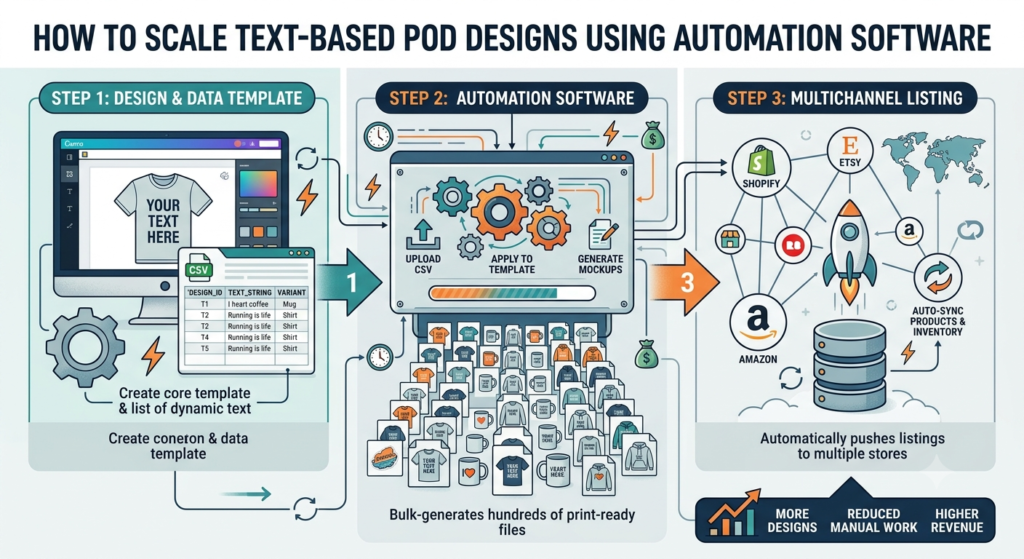
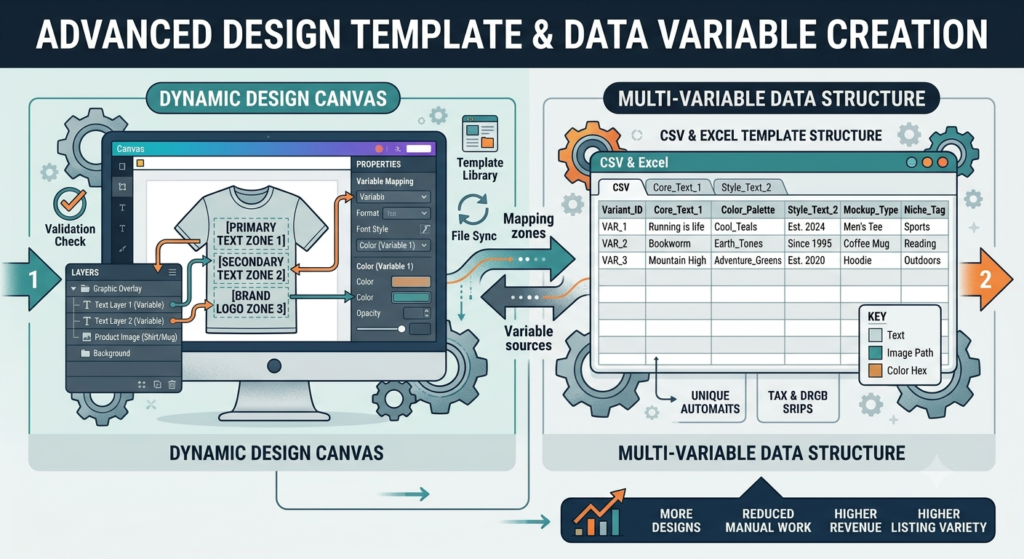
This is the engine. Instead of manually creating each design, you feed a spreadsheet of phrases into a template, and the software spits out hundreds of finished PNG or SVG files.
Popular routes sellers use:
- Placeit by Envato — drag-and-drop templates with bulk export options, good for beginners who don’t want to touch code
- Kittl — strong for typography-heavy designs with AI-assisted layout suggestions
- Custom scripts using Python (Pillow) or Node.js (Sharp/Jimp) — the real unlock for scale, because you control every pixel and can process thousands of variations from a single CSV
If you’re comfortable with a bit of code, a simple Node.js script using the sharp image library can take a template PSD/SVG, loop through a spreadsheet of phrases, and output a folder of finished, print-ready files in minutes. This is the “Node.js automation for Merch” workflow people are searching for, and it’s genuinely not that hard to set up.
2. Font and Asset Packages
Automation is only as good as the templates feeding it. Text-based designs live or die on typography, so investing in a solid commercial-use font library pays for itself fast. Look for bundles that explicitly state POD/commercial licensing (this matters — a lot of “free fonts” are not cleared for merchandise resale, and getting a takedown notice on Amazon Merch is a real risk).
3. Mockup Automation
Once designs are generated, you still need lifestyle mockups (shirt on a model, mug on a table, etc.) for your listing photos. Tools like Placeit and Printful’s mockup generator both support batch mockup creation, so you can feed in your folder of 500 designs and get 500 sets of mockups back without manually photographing anything.
4. Listing and Publishing Automation
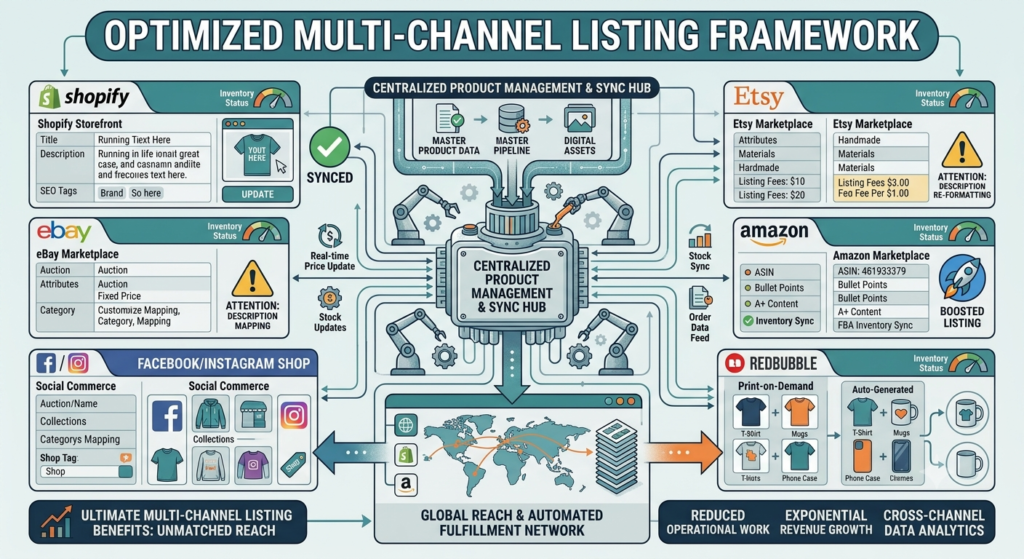
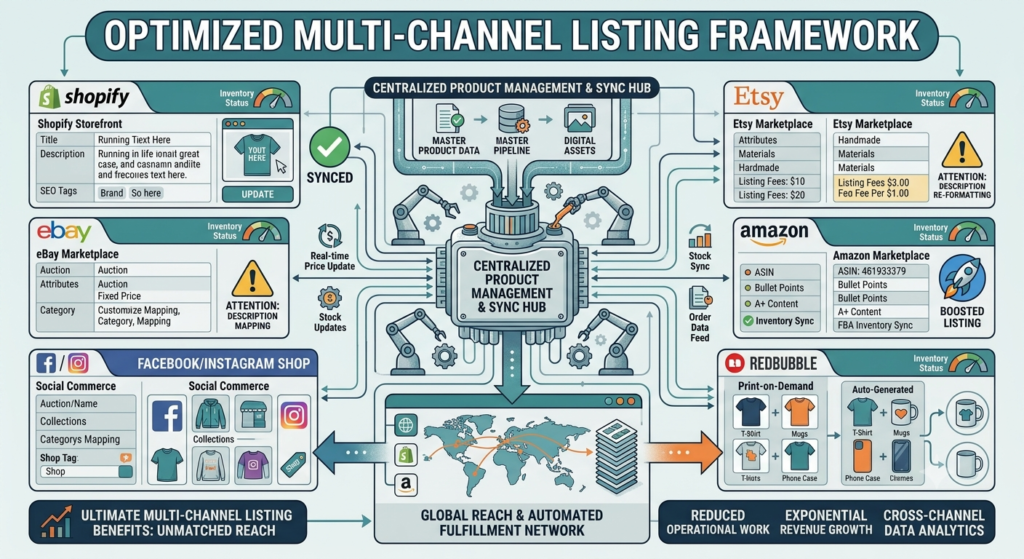
The final mile is getting designs live on your storefront. Platforms like <cite index=”0-1″>Printify and Printful describe themselves as print-on-demand platforms that let sellers create and sell custom products without inventory, with Printful handling manufacturing and shipping directly</cite>. Both integrate with Etsy and Shopify via API, meaning a well-built spreadsheet-to-listing pipeline can push new products live automatically once designs are ready.
A Simple Version of the Workflow (No-Code Friendly)
If you’re not ready to write scripts yet, here’s a lightweight version anyone can run this week:
- Build a phrase bank. Spend one afternoon brainstorming or scraping 200–300 phrase variations around a niche (e.g., dog mom sayings, gym motivation, nurse humor).
- Build one master template in Kittl, Placeit, or Photoshop with a text placeholder.
- Use bulk/batch export features in your design tool to swap the placeholder text for each phrase in your spreadsheet.
- Batch-generate mockups for the whole folder at once.
- Use a bulk listing tool (many Etsy sellers use spreadsheet-to-CSV bulk upload features, and Printify/Printful both support catalog-wide pushes) to publish everything in one go.
The Coded Version (Where the Real Scaling Happens)
Once you outgrow no-code tools, the workflow looks like this:
CSV of phrases → Python/Node script → Template engine (SVG/PSD) → Batch image export → Mockup API → Bulk CSV upload to Etsy/Shopify
This is where sellers doing serious volume actually live. A script that loops through a spreadsheet and outputs hundreds of print-ready files removes the design bottleneck entirely — your only remaining constraint is how many good phrases you can come up with, and that’s a research problem, not a labor problem.
Common Mistakes When Scaling POD Automation
- Skipping license checks on fonts. Bulk-generating 500 designs with a font you weren’t allowed to use commercially means 500 potential takedowns, not one.
- Ignoring SEO in the rush to scale. Volume without keyword research just means 500 invisible listings. Automate the design, but keep your title/tag research deliberate.
- No quality control pass. Always spot-check a sample of your batch output before bulk uploading — a broken template can quietly ruin an entire run.
- Over-templating. If every design looks identical with only the words changed, buyers notice. Build 3–5 template variations and rotate them across your phrase bank.
Frequently Asked Questions
What is POD automation software? POD automation software refers to tools and scripts that let sellers generate large batches of print-on-demand designs, mockups, or listings at once, instead of creating each product manually.
Can I automate POD design without knowing how to code? Yes. Tools like Placeit and Kittl offer bulk/batch export features that don’t require coding. Coding (typically Python or Node.js) becomes valuable once you want to scale beyond a few hundred designs or need more control over the output.
Is Amazon Merch on Demand or Etsy better for automated POD selling? They serve different purposes. Amazon Merch on Demand rewards sustained catalog volume and has tiered upload limits, making it well-suited to automated bulk uploads. Etsy rewards strong SEO and listing quality, so automation should be paired with deliberate keyword research rather than raw volume alone.
What fonts are safe to use for commercial POD products? Only fonts with an explicit commercial or POD-use license. Many “free for personal use” fonts are not cleared for resale on merchandise, and using them can result in takedowns.
How many designs should I generate per automation batch? Most sellers start with batches of 50–100 to test quality and market response before scaling to 500+ per run.
Final Verdict
Print-on-demand isn’t a “picture of a design” business anymore — it’s a systems business. The sellers pulling meaningful revenue from Etsy and Amazon Merch have quietly turned themselves into small software operations: a phrase bank, a template engine, a mockup pipeline, and a bulk publishing step. None of it is exotic technology. It’s spreadsheets, templates, and a script doing the boring repetitive work a human used to do by hand.
The barrier to entry here is real, which is exactly why it’s worth crossing. Most lifestyle and side-hustle blogs can’t write about Node.js scripts or bulk mockup APIs, so the search traffic for these terms is sitting there mostly uncontested. Build the workflow once, and you’re not making one design a day anymore — you’re making hundreds.