
Bluehost vs. Hostinger: Real Speed & Uptime Test (2026)
- Written by admin
If you’ve narrowed your web host search down to these two names, you’re not alone — Bluehost and Hostinger are two of the most recommended hosts on the internet, and for good reason. But “recommended” doesn’t tell you what actually happens when someone visits your site at 2 PM on a Tuesday. Does it load in under a second, or does your visitor bounce before the page even finishes rendering? Does your site stay up during a traffic spike, or does it choke?
That’s the problem with most hosting comparisons — they compare feature lists, not real-world performance. This guide pulls together independent speed tests, multi-week uptime monitoring, and stress-test results from several testing labs to show you how these two hosts actually perform, not just what their marketing pages promise. By the end, you’ll know exactly which one deserves your money.
Quick Comparison Table
| Hostinger | Bluehost | |
|---|---|---|
| Starting price | ~$2.49–$2.99/mo (intro) | ~$1.99–$2.95/mo (intro) |
| Renewal price | ~$6.99–$10.99/mo | ~$8.99–$10.99/mo |
| Avg. load time | 0.8–1.3 seconds | 1.1–1.6 seconds |
| Uptime (independent tests) | 99.95%–100% | 99.9%–100% (reachability varied) |
| Server tech | LiteSpeed + NVMe storage | Standard shared stack + Cloudflare CDN |
| Data centers | 7+ global locations | Primarily US-based |
| Control panel | hPanel (custom) | cPanel (industry standard) |
| Free domain | Yes (1 year) | Yes (1 year) |
| Best for | Speed-focused sites, global audiences | Beginners, WordPress.org loyalists, US-only traffic |
In-Depth Review: Hostinger
Hostinger has built its reputation on being the budget host that doesn’t feel budget. It runs on LiteSpeed web servers paired with NVMe solid-state storage, and that combination shows up in the numbers. Independent testing from multiple outlets in 2026 put Hostinger’s average load times anywhere from roughly 800 milliseconds to 1.3 seconds, and one lab’s 90-day monitoring window recorded a flawless uptime streak with response times around 230–250 milliseconds.
Where Hostinger really separates itself is geographic reach. It operates data centers across locations including Arizona, Massachusetts, Lithuania, the UK, Germany, France, and Brazil, so if your audience isn’t purely US-based, Hostinger tends to deliver noticeably faster load times abroad. Reviewers testing from European and Latin American vantage points consistently found Hostinger pulling ahead of Bluehost by a meaningful margin.
It’s not flawless. hPanel, Hostinger’s custom dashboard, is a cleaner and more modern interface than cPanel, but some longtime hosting users find it slower to navigate for advanced tasks, and a few reviewers noted occasional lag inside the panel itself. Support is chat-first rather than phone-first, which can frustrate people who want to talk to a human immediately.
Pros & Cons
Pros:
- Consistently faster load times across most independent 2026 tests
- LiteSpeed + NVMe combination handles traffic spikes well under stress testing
- Wider global data center footprint — better for international audiences
- Lower renewal pricing than Bluehost on most comparable tiers
- Free SSL, free domain, and a built-in AI website builder on higher plans
Cons:
- No phone support — chat and ticket-based only
- hPanel has a learning curve if you’re used to cPanel
- Entry-level plan storage and site limits are modest
Pricing
Hostinger’s shared hosting plans generally run from around $2.49/month to $3.99/month on longer intro terms, renewing in the $6.99–$10.99/month range depending on the tier. Multi-site plans (hosting 50+ websites) are notably cheaper than Bluehost’s equivalent tier.
Who It’s Best For
Hostinger is the stronger pick if your top priority is raw speed, your audience is international, or you’re building on a tight budget and don’t want renewal prices to balloon. It’s also a solid fit for anyone comfortable learning a new dashboard in exchange for better performance-per-dollar.
In-Depth Review: Bluehost
Bluehost’s biggest selling point isn’t raw speed — it’s trust. As the host officially recommended by WordPress.org since 2005, it’s the default answer most beginners hear when they ask where to host a WordPress site. That pedigree comes with real infrastructure: standard cPanel access, 1-click WordPress installs, and a Cloudflare CDN partnership to help with global delivery.
On pure speed metrics, the picture is mixed depending on which lab you trust. Some 2026 testing found Bluehost’s Speed Index and Time to First Byte actually edging out Hostinger on a single test site, with response times as fast as 360 milliseconds domestically. Other testing labs found the opposite — full page load times 200–500 milliseconds slower than Hostinger, and in one case, Bluehost’s reachability score during a multi-week monitoring window came in around 85–91%, well below Hostinger’s near-perfect reachability over the same kind of window. That’s a meaningful gap: uptime percentage tells you whether the server was technically running, but reachability tells you whether visitors could actually get to your site.
Under simulated concurrent-user stress testing, several labs noted Bluehost showing mild strain as load increased, while Hostinger held steadier. For a low-traffic blog this may never matter. For a site expecting a traffic surge — a viral post, a product launch, a holiday sale — it’s worth factoring in.
Pros & Cons
Pros:
- Official WordPress.org recommendation and deep WordPress integration
- Standard cPanel — familiar to anyone who’s hosted before
- 24/7 phone support, which Hostinger doesn’t offer
- Strong domestic (US) response times
- 30-day money-back guarantee
Pros & Cons continued below
Cons:
- Reachability and full-load-time results lagged behind Hostinger in several independent tests
- Slight strain under concurrent-user stress testing
- Renewal prices climb steeply — some plans jump 3–4x after the intro term
- Free SSL and other perks can disappear or turn into add-on fees after year one
- Fewer global data center locations than Hostinger
Pricing
Bluehost’s shared hosting starts around $1.99–$2.95/month on a 36-month intro term, with renewal rates typically landing between $8.99 and $14.99/month depending on plan tier. Watch for add-on costs — domain privacy and post-year-one SSL renewal can push the real annual cost higher than the sticker price suggests.
Who It’s Best For
Bluehost makes the most sense if you want the safety net of phone support, you’re building primarily for a US audience, or you specifically want the WordPress.org stamp of approval and don’t mind paying a bit more at renewal for it.
Frequently Asked Questions
Which host is actually faster — Hostinger or Bluehost? In the majority of 2026 independent tests, Hostinger posted faster full page load times overall, particularly for international audiences. A few individual lab tests found Bluehost edging ahead on specific metrics like Speed Index, so the honest answer is “usually Hostinger, but it’s not a total blowout.”
Which one has better uptime? Both hosts advertise 99.9% uptime, and both generally hit or exceed that in testing. The bigger differentiator was reachability — how consistently a site could actually be reached — where Hostinger scored closer to 100% while some Bluehost tests showed dips into the high 80s or low 90s percent range.
Does my audience’s location matter for this decision? Yes, significantly. If most of your visitors are in the US, Bluehost’s domestic response times are competitive. If you have any international audience — Europe, Latin America, or Asia — Hostinger’s wider data center network tends to deliver a faster experience.
Is Bluehost worth the extra cost for beginners? If phone support and a completely standard cPanel setup matter to you, yes, that convenience has real value. If you’re comfortable with a slightly different dashboard and want better long-term pricing, Hostinger typically delivers more performance per dollar.
Will switching hosts hurt my SEO? Not if it’s done correctly with a proper migration and redirects in place. In fact, moving to a faster host can improve Core Web Vitals scores, which Google does factor into rankings.
What’s the single biggest factor I should weigh here? Where your traffic comes from. That one variable will move the needle on real-world speed more than almost anything else in this comparison.
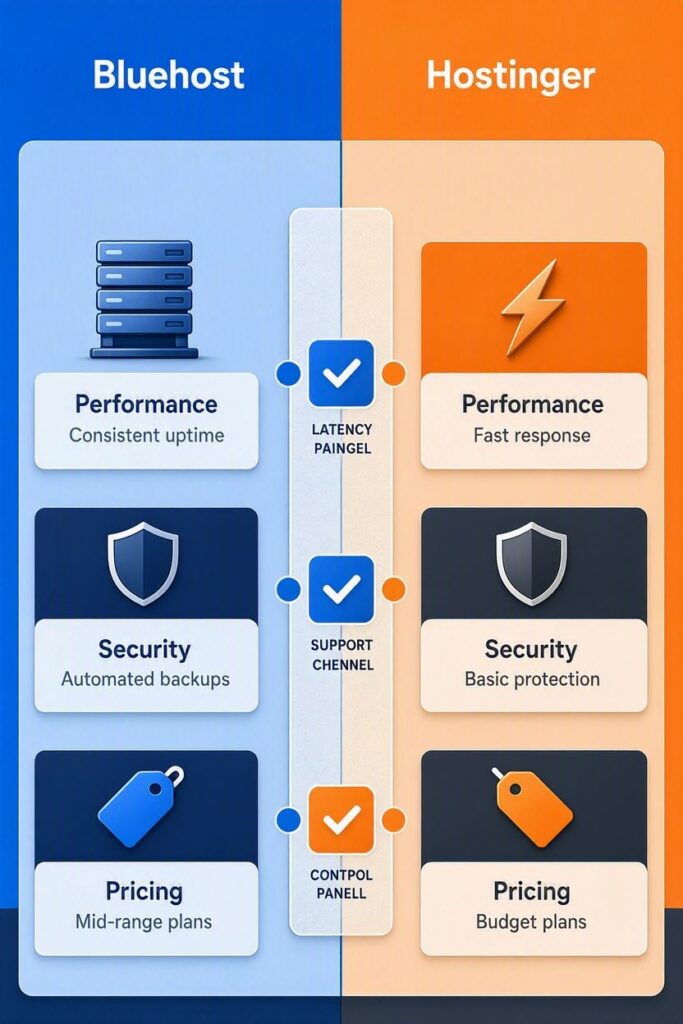
Final Verdict
Both hosts are solid, reputable choices — you won’t have a disaster on your hands with either one. But if you’re picking based on the numbers, Hostinger comes out ahead in most 2026 independent speed and reachability testing, especially if any part of your audience is outside the US. It’s also the better long-term value once renewal pricing kicks in.
Bluehost still earns its spot for one specific type of user: the true beginner who wants phone support, a familiar cPanel interface, and the peace of mind that comes with the official WordPress.org endorsement — and who’s building primarily for a US audience.
Bottom line: Speed-and-value shoppers should go with Hostinger. Beginners who want hand-holding and don’t mind paying more at renewal should go with Bluehost.
Ready to Pick a Host and Get Your Site Live?
Don’t let this decision stall your launch. Pick the host that matches your audience and budget from the table above, grab an intro-term deal while pricing is low, and get your site up this week — every day it’s not live is a day of traffic you’re not capturing.